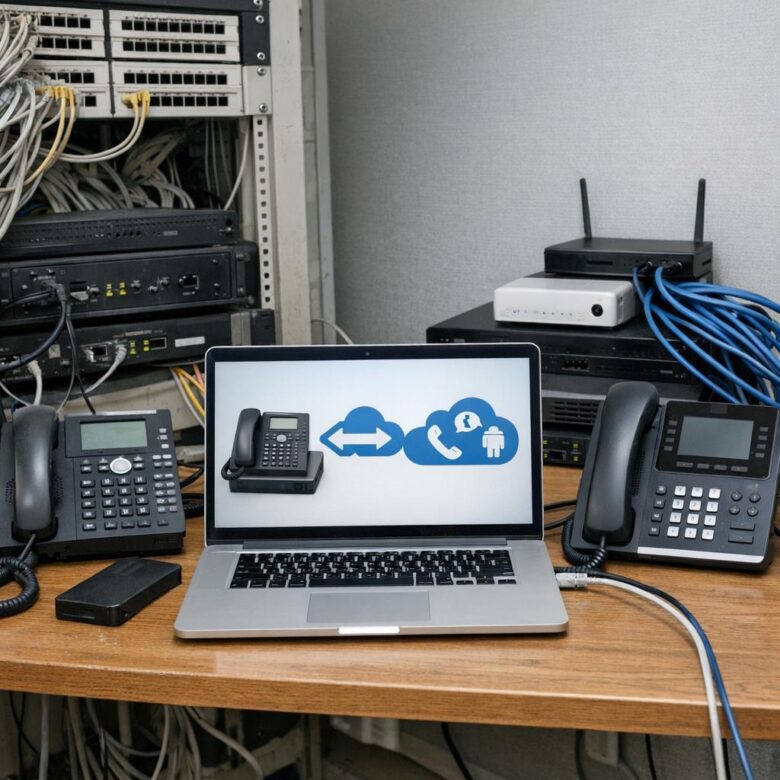
Migrating a legacy on-premise PBX to cloud-based unified communications is not a simple replacement of desk phones. The project affects telephone numbers, carrier contracts, call routing, emergency calling, receptionist workflows, contact centers, recordings, analog devices, networks, identity systems, security controls, user training, business continuity, and telecom billing. A successful migration preserves essential calling functions while moving users and services through controlled, testable stages.
Discover before designing
Document every number, call flow, device, integration, carrier account, location, and business dependency before selecting the target platform.
Migrate in controlled waves
Pilot representative users and sites, validate results, and expand only after technical and operational acceptance criteria are met.
Protect critical calling
Emergency services, customer queues, reception, alarms, elevators, paging, fax, and regulated recordings require separate validation.
Close the legacy environment
Decommissioning must include carrier billing, numbers, circuits, credentials, records, hardware, contracts, and remaining support access.
What Changes When Telephony Moves to the Cloud?
A traditional PBX typically concentrates call control, extension management, voicemail, trunks, and physical interfaces inside one or more business locations. A cloud unified communications platform moves many of those functions into a provider-managed service and extends them to desktop applications, mobile devices, browsers, IP phones, meeting rooms, messaging, video, and contact-center workflows.
The change can simplify hardware maintenance and improve access for distributed employees, but it also creates new dependencies. Calling may now rely on internet connectivity, cloud identity, provider availability, managed endpoints, supported client software, correct emergency locations, and external carrier relationships.
The Seven-Stage Migration Journey
The safest migration usually includes a period of coexistence. A legacy PBX, cloud platform, carriers, and Session Border Controller may operate together while departments, sites, and number ranges are moved. Coexistence adds complexity, but it can reduce the risk of one organization-wide cutover.
Choose the Target Operating Model
Native cloud calling
The cloud communications provider supplies the phone system and supported PSTN connectivity in eligible markets.
- Can reduce customer-managed voice infrastructure
- May simplify number and user administration
- Coverage, rates, features, and support vary by country
- Existing carrier commitments may need separate resolution
Cloud UC with participating carrier
An approved telecommunications operator connects PSTN service with the cloud collaboration environment.
- May preserve an established carrier relationship
- Can provide coordinated number and emergency-location management
- Responsibilities are divided between platform and operator
- Availability depends on product and geography
Direct routing through an SBC
A supported Session Border Controller connects the cloud platform with customer-selected carriers, trunks, PBXs, or analog gateways.
- Supports carrier flexibility and phased coexistence
- Can preserve complex routing or regulatory arrangements
- Requires SBC design, security, certificates, monitoring, and support
- Creates additional customer-managed dependencies
A multinational organization may use different models by country. The architecture should document who owns PSTN service, number management, emergency calling, carrier escalation, fraud monitoring, call routing, support, and regulatory obligations in every location.
Build a Complete Legacy PBX Inventory
Migration risk often comes from overlooked services rather than ordinary employee extensions. The discovery process should combine PBX configuration, carrier records, telecom invoices, number inventories, network diagrams, user interviews, service tickets, and physical site inspections.
Users, roles, and identities
Extensions, direct numbers, shared lines, executive assistants, receptionists, call delegates, common-area phones, contractors, service accounts, and inactive users.
Routes and business logic
Auto attendants, queues, hunt groups, schedules, holidays, overflow, after-hours service, caller ID, voicemail, call pickup, forwarding, and recorded announcements.
Applications and interfaces
Contact centers, CRM systems, call recording, compliance archives, paging, fax, alarms, door phones, elevators, modems, analog devices, APIs, and reporting tools.
| Inventory area | Information to capture | Migration question | Evidence of completion |
|---|---|---|---|
| Telephone numbers | Number, carrier, account, billing telephone number, service address, assigned user, purpose, emergency location, and porting status. | Should the number be ported, retained temporarily, replaced, forwarded, or disconnected? | Approved number inventory reconciled with carrier records and recent invoices. |
| Users and extensions | Employee status, department, extension, direct number, license, device, calling permissions, delegation, voicemail, and location. | Which cloud license, calling policy, number, device, and training does the user require? | User mapping approved by business and identity owners. |
| Call flows | Menus, queues, greetings, schedules, holidays, timeout actions, overflow destinations, voicemail, recording, and reporting. | Can the cloud platform reproduce the current workflow, or should the process be redesigned? | Documented call-flow diagrams and accepted test cases. |
| Carriers and trunks | SIP trunks, PRI circuits, analog lines, number ranges, contracts, rates, commitments, IP authentication, credentials, and support. | Which services remain during coexistence, and who terminates them after porting? | Signed target carrier plan and cancellation schedule. |
| Special devices | Fax, alarms, elevators, intercoms, paging, door entry, emergency phones, modems, point-of-sale equipment, and building systems. | Is the device supported over IP, or does it need a dedicated alternative service? | Device-by-device validation signed by the responsible vendor and business owner. |
| Records and compliance | Voicemail, recordings, call detail records, retention, legal holds, transcripts, billing data, and access logs. | What must be migrated, archived, exported, preserved, or securely deleted? | Approved retention and transfer record with validation samples. |
Step-by-Step PBX-to-Cloud Migration Plan
Define the business objective
State why the organization is migrating. Possible objectives include replacing unsupported hardware, enabling remote work, consolidating providers, improving administration, supporting acquisitions, modernizing customer service, reducing site dependence, or improving security. Use measurable outcomes rather than promising that cloud technology will automatically reduce cost.
Establish migration governance
Assign owners for telecom, networks, identity, endpoints, security, privacy, legal, procurement, finance, facilities, emergency calling, contact centers, training, communications, and business acceptance. Define decision rights, escalation contacts, change control, issue tracking, and executive reporting.
Discover the current environment
Export the PBX configuration, carrier inventories, direct numbers, extensions, trunks, routes, queues, voicemail, licenses, analog ports, recordings, devices, network dependencies, support contracts, and billing accounts. Reconcile technical records with actual users and invoices.
Classify every service by migration disposition
Mark each item as migrate, redesign, retain temporarily, replace, archive, or retire. Require a named owner for every exception. A service should not remain on the old PBX indefinitely simply because no one understands its purpose.
Select the cloud and PSTN architecture
Evaluate native calling plans, operator-integrated services, Direct Routing, hosted PBX, regional carriers, Session Border Controllers, and hybrid coexistence. Confirm country coverage, number types, emergency calling, regulatory requirements, support, failover, fraud controls, and contract responsibilities.
Design identity and access controls
Connect the platform with the authoritative identity system. Apply multifactor authentication, role-based administration, dedicated privileged accounts, user lifecycle automation, guest restrictions, device compliance, session policies, and emergency account controls.
Assess every network path
Measure bandwidth, latency, jitter, packet loss, Wi-Fi performance, upload capacity, internet resilience, VPN routing, firewall behavior, DNS, proxy requirements, and endpoint connectivity at each site. Include remote workers, contact-center agents, meeting rooms, and branch locations.
Design call routing and coexistence
Define how calls move between the old PBX, cloud users, carriers, contact centers, analog gateways, and external destinations. Document extension dialing, number normalization, caller ID, voicemail, forwarding, emergency calls, international access, toll restrictions, failover, and loop prevention.
Rebuild call flows intentionally
Do not copy every historical configuration without review. Simplify abandoned menu options, obsolete queues, unused numbers, outdated greetings, excessive transfers, and unsupported workarounds. Obtain business approval for redesigned reception and customer-service flows.
Prepare number porting data early
Collect current carrier invoices, customer service records, billing telephone numbers, account numbers, service addresses, authorized names, PINs, letters of authorization, number types, and desired port groups. Resolve discrepancies before requesting a cutover date.
Configure emergency calling by location
Map offices, floors, rooms, remote users, common areas, and mobile scenarios to the emergency-calling design. Validate direct dialing, notification, location information, callbacks, routing, and local requirements with the cloud provider, carrier, facilities team, and qualified legal or safety professionals.
Prepare devices and applications
Select supported desk phones, conference devices, headsets, mobile clients, desktop applications, room systems, analog gateways, and survivability equipment. Apply configuration, firmware, certificates, security settings, asset ownership, support status, and replacement procedures.
Run a representative pilot
Include receptionists, executives, assistants, contact-center users, remote employees, branch staff, international callers, common-area phones, administrators, and users with accessibility requirements. Test real business workflows rather than only simple inbound and outbound calls.
Migrate through controlled waves
Group users by site, department, number range, carrier account, business risk, and support capacity. Avoid overlapping changes that make routing, ownership, and rollback difficult to understand. Require readiness approval before each wave.
Operate a command center during cutover
Maintain contacts for the old carrier, new carrier, cloud provider, SBC team, network operations, security, service desk, facilities, business owners, and number-porting specialists. Record every change, symptom, decision, test result, and escalation.
Stabilize before decommissioning
Review call quality, failed calls, support tickets, number routing, emergency configuration, user adoption, queue performance, billing, recording, security alerts, and provider incidents for an agreed period. Retire the old environment only after the evidence supports it.
Network Readiness for Cloud Voice
Assess real-time media, not only general internet speed
Voice and video quality depend on packet delivery consistency as well as available bandwidth. Testing should reflect the actual user location, platform, VPN state, Wi-Fi connection, firewall path, internet provider, and busiest operating period.
- Measure upload and download capacity at every major location.
- Record latency, jitter, packet loss, retransmissions, and route stability.
- Evaluate wired Ethernet and Wi-Fi separately.
- Inspect internet circuit saturation and local queueing.
- Review VPN backhaul and approved local internet breakout options.
- Confirm current provider address, port, DNS, proxy, and certificate requirements.
- Apply QoS where the organization controls the congested network segment.
- Test branch and remote-user behavior during normal and peak demand.
- Design redundant internet or survivability where business impact requires it.
- Monitor post-migration call quality using platform telemetry.
Platform planning tools can estimate bandwidth requirements, but they do not replace measurement of real networks. The migration team should establish a baseline before cutover and retain the same metrics for post-migration comparison.
Special Devices and Analog Services
| Service or device | Migration risk | Possible approach | Required validation |
|---|---|---|---|
| Fax | Fax protocols can be sensitive to packet loss, codecs, timing, gateways, and provider support. | Approved cloud fax, retained analog service, supported gateway, or another documented business process. | Test sending and receiving with representative destinations, document retention, and confirm regulatory requirements. |
| Elevator or emergency phone | Service may be governed by building, safety, inspection, power, and location requirements. | Dedicated supported service designed with the elevator, facilities, carrier, and safety vendors. | Obtain qualified approval and complete required inspection or emergency testing. |
| Alarm or monitoring panel | The panel may use modem signaling, line voltage, monitoring-center recognition, or special failover behavior. | IP or cellular modernization, supported analog replacement, or a retained dedicated line. | Test with the alarm provider and confirm battery, outage, and monitoring-center behavior. |
| Paging and intercom | Existing amplifiers, multicast, analog adapters, speakers, and zone controls may not map directly to the cloud platform. | Supported paging gateway, SIP paging system, retained PBX interface, or replacement platform. | Validate every zone, priority override, emergency announcement, and failure mode. |
| Door phone or access control | DTMF, video, relay activation, security monitoring, and after-hours routing may depend on the old PBX. | Supported SIP device, security-system integration, gateway, or independent access-control solution. | Test call setup, audio, video, relay commands, authorization, and audit records. |
| Modem or legacy data device | Audio-band modem functions may not operate reliably through modern voice compression and packet networks. | Replace the device or application, use a supported data connection, or retain a specialized service temporarily. | Validate with the equipment manufacturer and receiving system rather than assuming an analog adapter will work. |
Security Controls for the New Environment
Protect users and administrators
Use authoritative identities, multifactor authentication, role-based privileges, separate administrator accounts, contractor expiration, session revocation, and monitored emergency access.
Control calling and routing
Restrict international and premium destinations, review forwarding, protect SIP credentials, secure SBCs, monitor unusual calling, and maintain carrier fraud escalation procedures.
Manage endpoints and records
Maintain supported firmware, device inventory, certificates, encrypted storage, recording permissions, retention, audit logs, exports, remote response, and secure disposal.
Cloud migration changes the security boundary. Some infrastructure controls move to the provider, while user access, tenant configuration, device security, integrations, data governance, call permissions, and incident response remain customer responsibilities.
- Review current provider security and assurance evidence
- Restrict privileged roles to named authorized administrators
- Require multifactor authentication for users and administrators
- Protect number porting and account-recovery workflows
- Disable unnecessary international and premium destinations
- Monitor forwarding, routing, administrator, and recording changes
- Inventory application integrations, API tokens, and service accounts
- Apply supported firmware and certificate lifecycle management
- Export security events to the approved monitoring process
- Test containment of a compromised user or administrator account
Emergency Calling Must Be Designed Before Cutover
Emergency calling requirements vary by country and service. In the United States, applicable multi-line telephone systems must account for requirements associated with direct 911 dialing, notification, and dispatchable location. Other jurisdictions may impose different obligations.
- Identify every fixed, nomadic, mobile, remote, and common-area user.
- Map telephone numbers and network locations to validated emergency addresses.
- Define how remote users confirm or update their current location.
- Verify direct emergency dialing without an external-line prefix where required.
- Configure required security-desk or designated-person notifications.
- Confirm callback behavior and the displayed callback number.
- Test branch, floor, room, shared-phone, VPN, and remote-work scenarios.
- Use approved non-emergency testing procedures coordinated with the provider.
- Document outages, failover, power loss, and survivability behavior.
- Review the design with qualified legal, safety, carrier, and facilities teams.
Number Porting Without Creating an Outage
Porting preparation checklist
- Confirm that every number is active and controlled by the organization.
- Reconcile numbers with recent invoices and carrier customer records.
- Verify the account number, billing telephone number, service address, and authorized name.
- Separate providers, accounts, number types, and service addresses where required.
- Determine whether each request is a full or partial account port.
- Identify numbers that support fax, alarms, elevators, or other special services.
- Avoid unrelated account changes while the port request is being processed.
- Prepare licenses, user assignments, routing, emergency locations, and test plans first.
- Keep the losing-provider service active until the port is completed and validated.
- Audit the old account afterward to confirm closure and stop residual billing.
A port request can be rejected when carrier records and submitted information do not match. Complex migrations involving several carriers, billing telephone numbers, service addresses, or number types may require multiple coordinated requests.
Testing the Pilot and Production Configuration
Technical test cases
- Inbound and outbound local calling
- Domestic and permitted international calling
- Internal extension and number dialing
- Caller ID presentation and callback
- Hold, transfer, consultation, park, pickup, and delegation
- Voicemail deposit, retrieval, notification, and transcription
- DTMF through menus and external systems
- Auto attendants, queues, overflow, holidays, and after-hours routing
- Recording, playback, retention, export, and consent notices
- Failover, internet loss, SBC loss, and provider incident behavior
Operational test cases
- Receptionist and executive-assistant workflows
- Contact-center login, queue, transfer, and reporting
- Remote employee and mobile application use
- Shared, common-area, meeting-room, and hot-desk phones
- Employee onboarding, role change, and departure
- Lost device and compromised account response
- Carrier, platform, and after-hours support escalation
- Emergency location and notification procedures
- Accessibility and assistive-technology requirements
- Invoice, license, number, and usage reconciliation
Acceptance criteria should be written before testing. Terms such as “calls sound good” or “the queue works” are too vague. Record the expected route, user experience, result, evidence, tester, time, device, location, and corrective action for each case.
Cutover Runbook
Confirm approvals, backups, carrier status, cloud configuration, number assignments, emergency locations, support contacts, test users, communications, and rollback readiness.
Freeze unrelated changes, record timestamps, monitor routing, validate port status, test priority numbers, update incidents, and assign ownership to every failed case.
Test inbound and outbound calls, queues, reception, voicemail, emergency settings, mobile users, recordings, integrations, quality, and provider dashboards.
Review support volume, quality reports, failed calls, adoption, security alerts, billing, credits, old-service status, and business acceptance.
Define rollback and containment criteria in advance
- Priority inbound numbers cannot reliably receive calls.
- Emergency-calling configuration is incomplete or incorrect.
- Reception, contact-center, or critical queue workflows fail.
- Call quality is unacceptable across a significant user group.
- Authentication or administrator access is unavailable.
- Routing creates loops, widespread failures, or unauthorized calling.
- Recordings or legally required controls do not operate as approved.
- The carrier or cloud provider cannot confirm a safe recovery path.
Number ports are not always instantly reversible. The rollback strategy may therefore use temporary forwarding, alternate carrier routes, retained SIP connectivity, backup numbers, mobile devices, or a hybrid PBX path rather than attempting to reverse the port immediately.
Calculate the Full Migration and Operating Cost
Licenses and features
User, common-area, meeting-room, contact-center, recording, analytics, AI, support, storage, number, and premium-feature subscriptions.
Calling infrastructure
Carrier minutes, toll-free service, international calls, SIP trunks, SBCs, internet circuits, redundancy, emergency services, taxes, and telecom fees.
Endpoints and accessories
Desk phones, room systems, headsets, analog gateways, paging equipment, power supplies, switches, Wi-Fi upgrades, spares, and replacements.
Migration services
Discovery, architecture, number porting, integrations, call-flow design, testing, project management, training, travel, and support.
Ongoing management
Administration, monitoring, invoice auditing, security, lifecycle management, carrier support, compliance, reporting, and user assistance.
Overlap and retirement
Temporary dual licensing, retained trunks, old PBX support, contract termination, equipment disposal, data export, credits, and residual billing.
Compare the cloud model with the complete existing cost, including PBX maintenance, carrier contracts, PRI or SIP services, power, server rooms, hardware replacement, specialist support, voicemail, recording, conferencing, remote-access tools, and outage exposure. Avoid counting projected productivity or cost avoidance as guaranteed cash savings.
Legacy PBX Decommissioning Checklist
Retirement is a separate project stage. Turning off the PBX does not automatically terminate carrier billing, remove access, preserve records, or close associated contracts.
- Confirm every required number has been ported, replaced, or retired.
- Validate that no active route still depends on the old PBX.
- Export required voicemail, recordings, logs, configurations, and reports.
- Apply approved retention, legal hold, deletion, and privacy procedures.
- Terminate PRI, SIP, analog, maintenance, software, and support contracts.
- Audit final carrier invoices and confirm expected credits.
- Remove firewall rules, VPN access, certificates, credentials, and vendor accounts.
- Update network diagrams, inventories, disaster recovery, and support documents.
- Securely erase, redeploy, recycle, or dispose of hardware.
- Retain evidence showing approvals, closure, data handling, and financial completion.
Common Migration Mistakes
Numbers, carriers, call flows, emergency services, applications, networks, identity, records, and user workflows are all affected.
Porting data should be reconciled with current carrier records, invoices, accounts, service addresses, and business owners.
Historical menus and routing rules may preserve obsolete departments, confusing customer experiences, and undocumented workarounds.
Fax, alarms, elevators, modems, paging, and safety systems have different technical and regulatory requirements.
Receptionists, contact centers, executives, remote users, common areas, facilities, and accessibility use cases often expose different gaps.
Locations, numbers, policies, notifications, carrier routing, remote users, and testing procedures must be prepared before cutover.
Numbers may become unavailable for porting and critical services can stop before the new platform is validated.
A single large cutover increases the number of simultaneous failures, escalations, and business processes that must be recovered.
Shared access weakens accountability, secure revocation, monitoring, and incident investigation.
Unmanaged coexistence creates duplicate costs, stale access, forgotten routes, unsupported hardware, and unclear operational ownership.
Migration Readiness Checklist
- Define measurable business and technical migration objectives
- Assign owners for telecom, network, identity, security, finance, and operations
- Inventory users, numbers, extensions, devices, trunks, routes, and integrations
- Reconcile carrier records with PBX configuration and telecom invoices
- Classify every service as migrate, redesign, retain, replace, archive, or retire
- Select the cloud, PSTN, SBC, carrier, and coexistence architecture
- Confirm provider coverage, support, security, resilience, and contractual responsibilities
- Assess bandwidth, latency, jitter, loss, Wi-Fi, VPN, firewall, and DNS
- Design identity, multifactor authentication, administrator roles, and user lifecycle
- Rebuild and document auto attendants, queues, schedules, and routing
- Validate fax, alarms, elevators, paging, door phones, and other special devices
- Prepare emergency locations, policies, notifications, and testing procedures
- Verify number-porting records, account structure, and letters of authorization
- Configure licenses, users, devices, routing, and emergency data before porting
- Run a representative pilot and document acceptance criteria
- Train receptionists, administrators, agents, employees, and support teams
- Create cutover, communication, escalation, containment, and rollback plans
- Monitor call quality, security, support, adoption, and billing after each wave
- Audit final carrier charges and confirm old-service termination
- Decommission legacy systems only after technical and business acceptance
Frequently Asked Questions
Should every business replace its on-premise PBX with cloud UC?
No. The decision depends on feature requirements, carrier coverage, regulation, emergency calling, internet resilience, existing investments, security, internal skills, integrations, analog devices, costs, and business continuity. A hybrid or hosted alternative may be more appropriate in some environments.
How long does a PBX-to-cloud migration take?
There is no universal duration. A small office with clean records and simple routing may move relatively quickly, while a multinational enterprise with several carriers, contact centers, regulatory requirements, and analog services may require a multi-phase program.
Can the old PBX and cloud platform operate together?
Yes, when the architecture supports coexistence through SIP trunks, gateways, Session Border Controllers, forwarding, or other approved routing. The design must prevent loops, unauthorized calls, caller ID problems, inconsistent voicemail, and unclear emergency routing.
Should telephone numbers be ported before users are configured?
No. The target licenses, user assignments, call routes, emergency locations, policies, queues, and test procedures should be prepared before the port completes. Porting a number to an unfinished configuration can create an avoidable outage.
Can the company cancel its old service as soon as it submits a port request?
No. Keep the existing service active until the port completes and all required numbers and workflows have been validated. Canceling first can interrupt service or make numbers unavailable for transfer.
Will every fax machine work through a cloud phone system?
No. Fax performance depends on the platform, gateway, codec, transport, carrier path, packet quality, and destination. Test the actual workflow or use an approved cloud-fax or dedicated alternative where appropriate.
Does moving to the cloud eliminate the need for telecom specialists?
It changes the work rather than removing it. Organizations still need number management, carrier coordination, routing, emergency calling, quality monitoring, security, licensing, billing control, integrations, lifecycle management, and incident response.
What should be migrated first?
Begin with a representative but manageable pilot. It should include enough complexity to reveal network, routing, device, emergency, support, and user-experience gaps without placing the most critical operation at unnecessary risk.
When can the legacy PBX be safely turned off?
After all required numbers and services have migrated, acceptance tests have passed, business owners have approved the result, records have been preserved, carrier services have been reconciled, and no active route or device still depends on the old platform.
Final Takeaway
A legacy PBX migration succeeds when the organization treats telephony as a business service rather than a collection of phones. Numbers, identities, routes, networks, emergency locations, devices, recordings, carriers, contracts, users, and support processes must move together.
Begin with discovery, select an architecture that matches real requirements, test representative workflows, port numbers in controlled waves, and retain a safe coexistence path where necessary. The project is complete only when the cloud environment is stable and the legacy infrastructure, access, records, contracts, and billing have been properly retired.
Official Technical Resources
- Federal Communications Commission: Keeping Your Phone Number When Changing Providers
- Federal Communications Commission: Multi-Line Telephone System 911 Requirements
- Federal Communications Commission: Dispatchable Location for 911 Calls
- Microsoft: Set Up Teams Phone in an Organization
- Microsoft: Use the Network Planner for Teams
- Microsoft: Prepare a Network for Teams and Cloud Voice
- Microsoft: Telephone Number Port Order Planning
- Microsoft: Configure Direct Routing with a Session Border Controller
- NIST: Cybersecurity Framework 2.0
- CISA: Cloud Security Technical Reference Architecture
- RFC 3261: Session Initiation Protocol
- RFC 3550: Real-Time Transport Protocol
This article is provided for general informational purposes and does not constitute legal, emergency-services, regulatory, cybersecurity, engineering, procurement, or telecommunications consulting advice. Portability rules, emergency-calling duties, carrier processes, cloud features, licensing, analog-device support, and technical requirements vary by provider, country, service, contract, and date. Verify critical requirements through current official documentation and qualified professionals before changing a production telephone environment.
The TMPCom Editorial Team creates practical, research-based content about business telecommunications, VoIP systems, network security, compliance, and telecom cost management. Our articles are developed using official documentation, technical standards, and reputable industry sources to help businesses make clearer and more informed technology decisions.