Setting Up Virtual Private Networks (VPNs) Without Bottlenecking Speeds

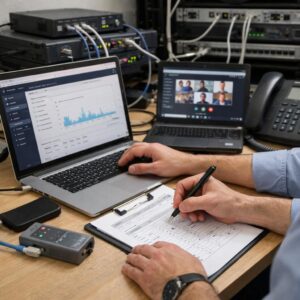
Network engineer testing corporate VPN throughput, gateway capacity, latency, routing, and secure remote-access performance
B2B Network Security & Infrastructure

A VPN will always add some processing, encapsulation, and routing overhead, but a well-designed deployment should not make ordinary business applications feel unnecessarily slow. Good performance depends on the complete path: the user’s connection, Wi-Fi quality, internet routing, tunnel protocol, gateway capacity, packet size, traffic policy, and the location of the application being accessed.

By: TMPCom Editorial Team Reviewed: July 2026 Reading time: Approximately 13 minutes
1

Measure before changing

Establish normal internet and application performance before blaming encryption or replacing the VPN platform.

2

Control the complete path

Gateway capacity alone cannot correct weak Wi-Fi, overloaded circuits, distant applications, poor routing, or fragmented packets.

3

Test security and speed together

Performance tuning should not bypass authentication, endpoint checks, logging, encryption, or required inspection controls.

Where a VPN Bottleneck Can Occur

VPN performance is often described as though one server controls the result. In reality, every connection passes through several components, and the slowest or least stable part can limit the entire session.

1 User device CPU, client software, endpoint security, and local applications.
2 Local network Wi-Fi quality, router load, ISP upload, and packet loss.
3 Internet path Distance, congestion, routing, peering, and mobile networks.
4 VPN gateway Protocol, CPU, packet rate, tunnel count, and security policies.
5 Application Server load, storage, cloud region, DNS, and application design.
A speed test alone does not identify the bottleneck. A browser test may use several parallel connections, while a file transfer or business application may use one flow. Measure real applications, latency, loss, gateway load, and multiple concurrent users.

Remote-Access and Site-to-Site VPNs Have Different Demands

VPN type Primary use Common performance limit Important planning question
Remote access Individual employees connect from home, hotels, mobile networks, or branch locations. User Wi-Fi, home upload speed, geographic distance, client CPU, gateway concurrency, or full-tunnel internet traffic. How many users will be connected simultaneously, and which applications must pass through the tunnel?
Site to site Offices, data centers, cloud networks, or partner environments exchange routed traffic. Gateway throughput, packet rate, internet circuits, MTU, encryption settings, routing, or one heavily used tunnel. What are the peak traffic volumes in each direction, and is automatic failover required?
Application access Users receive access to selected web applications, desktops, or services instead of an entire private network. Inspection gateways, identity services, application proxies, browser behavior, or the application itself. Can access be limited to the required application instead of routing a large private network to every device?

Choosing a VPN Protocol Without Oversimplifying Performance

There is no universally fastest protocol for every device, operating system, network, security policy, and application. Hardware acceleration, implementation quality, transport mode, packet size, client support, and required inspection can matter as much as the protocol name.

Technology Often suitable for Performance considerations Operational considerations
IPsec / IKEv2 Site-to-site connections, managed remote access, cloud gateways, and devices with built-in operating-system support. Performance can benefit from hardware acceleration. Algorithm choices, packet overhead, rekeying, NAT traversal, and gateway implementation affect results. Confirm compatible proposals, certificate or key management, routing, failover, logging, and supported security settings.
WireGuard Lightweight remote access, site connectivity, mobile users, and environments that can manage peer keys and routing centrally. Its compact design and modern implementation can provide strong performance, but the result still depends on the platform, hardware, internet path, and surrounding management system. Organizations still need identity integration, key rotation, device enrollment, access policy, logging, revocation, and configuration management.
OpenVPN Broad client compatibility, configurable remote access, and networks where traversal through restrictive environments matters. UDP is commonly preferred for general tunnel performance. Supported Data Channel Offload implementations can reduce processing overhead and improve scalability. Verify client and server compatibility, cipher settings, DCO support, certificate lifecycle, tunnel MTU, and fallback behavior.
TLS application gateway Access to selected internal applications without broad network routing. Performance depends on proxy capacity, TLS processing, authentication, application inspection, and destination latency. This may reduce network exposure, but it is not a direct replacement for every site-to-site or non-web use case.

Step-by-Step VPN Performance Design

Measure the connection without the VPN

Record download speed, upload speed, latency, jitter, packet loss, and Wi-Fi quality before enabling the tunnel. Test during quiet and busy periods. A VPN cannot restore bandwidth that the local connection does not provide.

Define application requirements

Separate interactive applications from bulk transfers. Voice, virtual desktops, remote administration, and transaction systems are sensitive to delay and packet loss. Backups and large file copies may tolerate more delay but require sustained throughput.

Place gateways near users and applications

Avoid sending a user’s traffic through a distant headquarters when the application is hosted in a nearby cloud region. Regional gateways can reduce unnecessary round trips, but they also require consistent security policies, monitoring, routing, and operational ownership.

Size for concurrent use, not registered users

A company may have 2,000 VPN accounts but only 600 simultaneous sessions. Capacity planning should estimate concurrent users, traffic per active user, peak periods, packet rates, encryption overhead, failover conditions, and expected growth.

Check gateway CPU and packet-processing limits

VPN gateways process encryption, encapsulation, routing, firewall rules, logging, inspection, and sometimes intrusion prevention. A gateway can reach a CPU or packets-per-second limit before consuming the advertised bandwidth of its network interface.

Keep traffic on the shortest approved path

Route private applications through the tunnel and decide deliberately how public internet, cloud software, video meetings, updates, and backups should travel. Do not use full tunneling or split tunneling by habit; document the security and performance reason for the choice.

Validate MTU and TCP MSS

Encryption and encapsulation add headers, leaving less room for the original packet. An incorrect MTU can cause fragmentation, dropped packets, websites that partly load, frozen file transfers, or poor performance. Use platform and provider guidance, then test the actual path.

Preserve Path MTU Discovery where possible

Blocking every ICMP message can interfere with the mechanisms that allow endpoints to learn the supported packet size. Configure firewalls according to the platform’s requirements and use MSS adjustment when appropriate for the tunnel and application traffic.

Separate bulk traffic from interactive traffic

A large backup, software deployment, or file synchronization job can fill the tunnel. Apply scheduling, rate controls, application-aware routing, or queueing so bulk traffic does not make interactive business applications unusable.

Build redundancy without creating asymmetric routing

Multiple gateways and tunnels improve availability only when health checks, route priorities, stateful firewalls, NAT, return paths, and failover behavior are correctly designed. Test both planned and unplanned failover.

Monitor the gateway and the application

Collect tunnel status, active sessions, throughput, packet loss, CPU, memory, dropped packets, authentication errors, rekeys, interface errors, application response time, and user location. Gateway health alone does not prove that the application is performing well.

Test with realistic concurrency

A successful test with one administrator does not prove that hundreds of users can work normally. Use controlled load, multiple traffic flows, both directions, representative devices, and the actual applications used by the business.

Full Tunnel or Split Tunnel?

Full-tunnel routing

Most or all device traffic passes through the corporate VPN gateway before reaching private or public destinations.

  • Centralizes filtering, logging, and egress policy.
  • Can simplify consistent security enforcement.
  • Consumes corporate gateway and internet capacity.
  • May send cloud traffic through an unnecessarily long path.
  • Requires capacity for public internet traffic as well as private access.

Split-tunnel routing

Defined private or sensitive traffic uses the VPN while other approved traffic travels directly through the user’s internet connection.

  • Reduces load on gateways and corporate internet circuits.
  • Can improve access to nearby public cloud services.
  • Requires precise routes, DNS behavior, and security policy.
  • May reduce centralized visibility for direct internet traffic.
  • Should be combined with managed endpoint protection and access controls.
Split tunneling is a security architecture decision, not only a speed setting. Before enabling it, evaluate endpoint security, DNS, internet filtering, access controls, logging, data protection, incident response, and whether the device can communicate with untrusted and private networks at the same time.

Why MTU Problems Often Look Like “A Slow VPN”

A tunnel adds headers around the original packet. If the completed packet exceeds the supported size somewhere along the path, it may be fragmented or discarded. Small tests such as pings or login requests can still work while large web responses, uploads, and file transfers fail.

Possible MTU symptoms

  • Websites begin loading but never finish.
  • Small files work while larger transfers freeze.
  • Remote desktop connects but becomes unstable under activity.
  • One application fails only when the VPN is active.
  • Performance changes between home, mobile, and hotel networks.
  • TCP retransmissions increase even though the tunnel remains connected.

Do not apply one internet MTU value to every deployment. The appropriate setting depends on the protocol, encryption algorithms, provider, transport network, additional encapsulation, cloud platform, and whether IPv4 or IPv6 is used.

Gateway Capacity Is More Than a Mbps Number

Throughput

Aggregate bandwidth

Published gateway capacity may be shared across tunnels, directions, users, and security features. Confirm whether figures are per tunnel, per instance, or aggregate.

Packet rate

Packets per second

Many small packets can consume more processing capacity than fewer large packets carrying the same total number of bits.

Concurrency

Sessions and tunnels

Authentication, rekeying, policies, logging, and state tracking create work even when each connected user transfers little data.

Security

Inspection overhead

Firewall rules, malware scanning, intrusion prevention, URL filtering, logging, and content inspection can reduce usable throughput.

Encryption

CPU and acceleration

Cipher choice, hardware acceleration, software implementation, core use, operating system, and packet size influence encryption capacity.

Resilience

Failure-state capacity

Each remaining gateway should support acceptable service when another instance, internet circuit, tunnel, or cloud zone becomes unavailable.

Basic Remote-Access Capacity Planner

Estimate a starting gateway bandwidth target using simultaneous users, average peak traffic per active user, and planning headroom.

This is an initial bandwidth estimate, not a gateway recommendation. Packet rate, single-flow performance, uploads, protocol overhead, inspection, redundancy, application behavior, and provider limits must be evaluated separately.

How to Test VPN Performance Correctly

Without the VPN

Create a baseline

  • Measure wired and wireless performance separately.
  • Record upload, download, latency, jitter, and packet loss.
  • Test the actual application or file destination.
  • Record device CPU and memory use.
  • Repeat tests at normal and busy times.
  • Document user location and internet provider.
Through the tunnel

Compare the complete path

  • Use the same device, network, destination, and test method.
  • Test single-flow and multi-flow throughput.
  • Measure both upload and download directions.
  • Monitor gateway CPU, packet drops, and active sessions.
  • Capture retransmissions and MTU-related symptoms.
  • Repeat with realistic concurrent users or generated load.

Large file transfers can be affected by latency even when the tunnel has unused bandwidth. A single TCP flow may grow more slowly across a long-distance path than several parallel flows. This is one reason a multi-connection speed test can appear fast while an individual file copy remains slow.

VPN Troubleshooting Matrix

Symptom Possible cause What to check first
Every user becomes slow at the same time Gateway saturation, corporate internet congestion, cloud gateway limits, overloaded inspection, or a provider incident. Aggregate throughput, CPU, packet drops, tunnel metrics, circuit utilization, and provider status.
Only one user is slow Weak Wi-Fi, home ISP congestion, mobile signal, endpoint load, local security software, or a distant gateway. Wired comparison, baseline without VPN, endpoint CPU, packet loss, user location, and another device.
Small requests work but large transfers freeze MTU, MSS, Path MTU Discovery, fragmentation, blocked ICMP, or an application-specific packet-size issue. Provider MTU guidance, packet capture, retransmissions, MSS rules, and tests using different packet sizes.
Download is fast but upload is poor Limited upstream internet capacity, outbound queueing, home router congestion, gateway asymmetry, or ISP shaping. Baseline upload, local queue utilization, WAN interface drops, and routing in both directions.
Cloud applications are slower only on full tunnel Traffic is traveling through a distant corporate gateway before returning to a public cloud service. Route table, DNS result, gateway location, security policy, and whether approved direct routing is possible.
Performance drops as more users connect Gateway concurrency, CPU, memory, inspection, packet rate, internet bandwidth, or an undersized cloud gateway tier. Per-user traffic, connected-session count, gateway metrics, license limits, and failure-state capacity.
VPN reconnects during network changes Mobile roaming, NAT timeout, Wi-Fi transition, changing IP address, keepalive configuration, or client implementation. Client logs, tunnel negotiation events, network transitions, NAT behavior, and supported mobility features.
File copy is slow but video meetings are normal Single-flow TCP behavior, storage limits, file server performance, antivirus scanning, latency, or SMB application behavior. Server storage, one-flow versus multi-flow tests, CPU, application logs, and a local-network comparison.

Common VPN Performance Mistakes

Blaming encryption before testing the baseline

Poor Wi-Fi, limited upload capacity, or ISP congestion may exist before the tunnel is connected.

Using the closest gateway to headquarters

The better gateway is often the one that creates the shortest approved path between the user and the application.

Reading an advertised throughput number as a guarantee

Real performance varies with packet size, algorithms, features, concurrency, traffic mix, distance, and provider conditions.

Forcing all traffic through one location

Central routing can create unnecessary distance and consume gateway capacity for public cloud traffic.

Reducing security to gain speed

Disabling authentication, encryption, inspection, or logging without a risk review can create a larger problem than slow performance.

Copying an MTU value from another environment

Encapsulation, algorithms, networks, and providers differ. Test the actual path and follow current platform guidance.

Testing with only one user

Concurrency, rekeying, packet rate, and inspection load may appear only during realistic business use.

Ignoring the destination server

A slow file server, storage volume, database, or cloud application can limit performance even when the VPN is healthy.

Deployment Checklist

  • Record baseline latency, loss, upload, and download without the VPN
  • List applications, destinations, ports, and performance requirements
  • Estimate simultaneous users instead of counting only licensed users
  • Calculate peak traffic in both directions with planning headroom
  • Confirm whether gateway throughput is per tunnel or aggregate
  • Review gateway CPU, packet-rate, session, and tunnel limits
  • Select protocols supported by the security and device environment
  • Place gateways near major user and application regions
  • Document full-tunnel or split-tunnel routing decisions
  • Protect direct internet traffic with managed endpoint controls
  • Validate DNS behavior across private and public destinations
  • Test MTU, MSS, fragmentation, and Path MTU Discovery
  • Control large backups, updates, and synchronization jobs
  • Design capacity for gateway, circuit, or tunnel failure
  • Monitor tunnel health, throughput, drops, CPU, and application latency
  • Test with real applications and realistic concurrent traffic

Frequently Asked Questions

How much speed loss is normal when using a VPN?

There is no universal percentage. The result depends on protocol, hardware, distance, internet quality, packet size, gateway load, inspection, routing, and the application. Compare controlled baseline and tunnel tests rather than assuming a fixed acceptable loss.

Is WireGuard always faster than IPsec or OpenVPN?

No protocol is guaranteed to be fastest in every environment. WireGuard is designed as a compact, high-performance tunnel, while IPsec may benefit from strong hardware acceleration and OpenVPN can use Data Channel Offload in supported deployments. Test the exact platforms, settings, clients, and traffic patterns you plan to use.

Does split tunneling automatically solve VPN congestion?

It can reduce traffic passing through corporate gateways, especially for approved public cloud services. It does not fix weak user connections, slow private applications, gateway CPU limits, or packet loss. It also requires a security and endpoint-management review.

Should OpenVPN use TCP or UDP?

UDP is commonly selected for general tunnel performance because the applications inside the tunnel can manage their own reliability. TCP may be useful where UDP is blocked or restricted. The correct choice depends on reachability, application behavior, security policy, and provider support.

Can increasing the server’s internet speed fix every bottleneck?

No. Gateway CPU, packet rate, single-flow behavior, client Wi-Fi, remote-user upload, MTU, routing, storage, and destination application performance may remain limiting factors.

Why is a file transfer slower than a browser speed test?

A speed test may use multiple parallel connections and a nearby optimized server. A file transfer may use one flow, travel farther, depend on storage, pass through antivirus scanning, or use an application protocol that responds differently to latency.

When should a business upgrade its VPN gateway?

Consider an upgrade when monitoring shows sustained CPU pressure, packet drops, session limits, tunnel saturation, insufficient failure-state capacity, or application degradation that remains after internet, routing, MTU, endpoint, and destination problems have been ruled out.

Final Takeaway

A fast corporate VPN is not created by choosing one protocol or increasing one bandwidth number. It comes from designing the shortest approved path, sizing the gateway for real concurrency, preserving correct packet sizes, controlling bulk traffic, and measuring every part of the connection.

Begin with a baseline, test actual business applications, and monitor both the user experience and the infrastructure. Performance tuning should make secure access more efficient—not remove the controls that protect the network.

Official Technical Resources

TM

TMPCom Editorial Team

The TMPCom Editorial Team creates practical, research-based content about business telecommunications, VoIP systems, network security, compliance, and telecom cost management. Articles are developed using official documentation, technical standards, and reputable industry sources.

This article is provided for general informational purposes. VPN performance, protocol support, throughput, packet-size requirements, security controls, and configuration interfaces vary by platform, provider, hardware, software version, and network path. Review current vendor documentation and test changes before modifying a production environment.