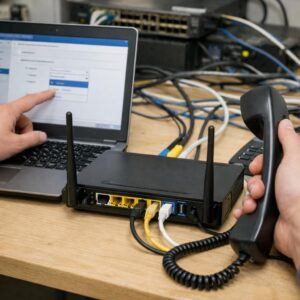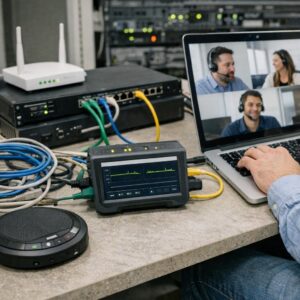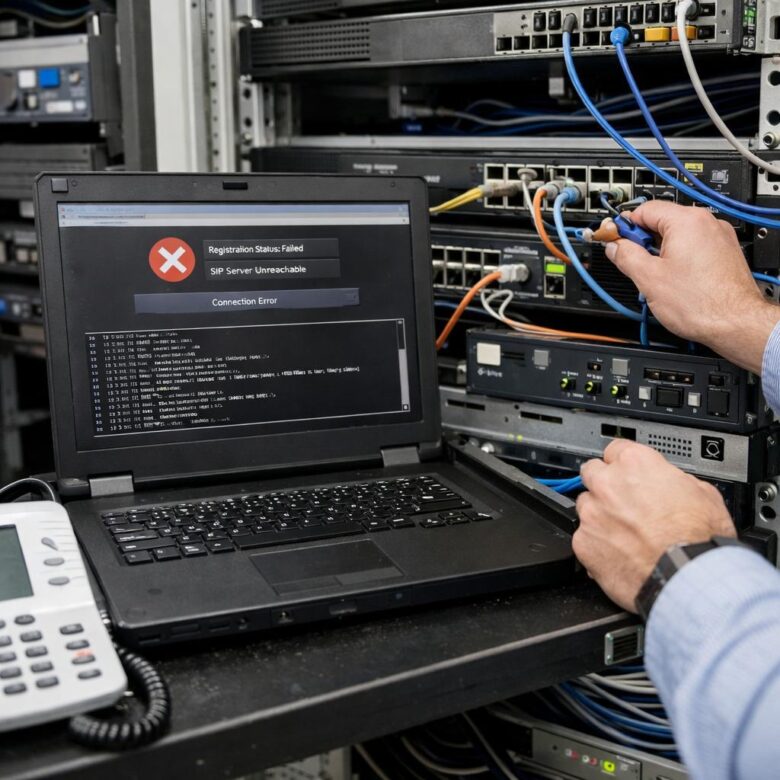
A SIP trunk registration failure can interrupt inbound calls, outbound calls, or both, but the visible error is often only the final symptom. The real cause may be an incorrect authentication identity, failed DNS lookup, blocked network path, NAT timeout, mismatched transport, expired TLS certificate, provider restriction, or a trunk that was never designed to use SIP registration. A structured investigation identifies the failing layer before production settings are changed.
REGISTER request.
Confirm the impact
Determine whether all trunks, one account, one location, one transport, or only one direction of calling is affected.
Find the last response
Identify whether the PBX receives no response, an authentication challenge, a rejection, or a temporary server error.
Check recent changes
Review firewall replacements, public IP changes, password rotations, certificate renewals, upgrades, DNS changes, and provider migrations.
Preserve evidence
Save timestamps, Call-IDs, logs, packet captures, source addresses, provider responses, and configuration versions before making changes.
How a Successful SIP Registration Normally Works
In a common digest-authentication workflow, the PBX or session border
controller sends a REGISTER request to the registrar. The
registrar responds with an authentication challenge, and the client sends
a new request containing an authorization response. A successful registrar
then returns 200 OK and stores the contact binding for the
permitted registration period.
A first 401 response is often normal. In digest
authentication, the registrar commonly uses 401 Unauthorized
to challenge the initial request. The failure is indicated when the
authenticated request is repeatedly challenged, rejected, or receives no
usable response.
What Common SIP Responses Can Tell You
| Observed result | What it commonly means | What to inspect next | Important caution |
|---|---|---|---|
| No response | The request may be using the wrong destination, blocked by a firewall, sent through a failed route, rejected before SIP processing, or answered on a path that cannot return. | DNS results, source and destination IPs, transport, firewall logs, routing, NAT state, packet captures, and provider reachability. | A failed ping does not prove that the SIP service is unavailable. Many providers block or deprioritize ICMP. |
| 401 | The registrar is challenging the client for authentication. This is normally expected before the authenticated request. |
Confirm that a second REGISTER contains an
Authorization header and uses the expected username,
realm, nonce, request URI, and algorithm.
|
Repeated 401 responses after authorization usually indicate an authentication mismatch or unsupported digest behavior. |
| 407 |
A proxy is requesting authentication through
Proxy-Authenticate.
|
Outbound proxy requirements, proxy credentials, realm, routing, and whether the platform supports the required authentication flow. | Do not treat 401 and 407 as identical; their authentication headers and responding components differ. |
| 403 | The provider understood the request but refuses it. Possible causes include invalid credentials, an unapproved source IP, disabled account, forbidden contact, registration limit, or provider policy. | Provider portal, account status, public source IP, username format, contact domain, registration limits, and carrier logs. | SIP response text is implementation-specific. A 403 does not reveal one universal root cause. |
| 404 | The registrar or proxy cannot identify the requested user, address, account, or domain. | Request-URI, To and From domains, trunk identifier, registrar hostname, tenant domain, and provider provisioning. | A valid telephone number is not necessarily the required SIP authentication identity. |
| 408 | The transaction did not complete within the expected period. Network loss, an unreachable next hop, proxy failure, or return-path problem may be involved. | Retransmissions, firewall sessions, DNS targets, packet loss, source NAT, routing, and whether the provider received the request. | The device displaying 408 may not be the component that originally failed. |
| 423 | The requested registration interval is shorter than the minimum accepted by the registrar. |
The Min-Expires value in the response and the
registration refresh setting on the PBX or SBC.
|
Increasing the interval arbitrarily can create slow recovery after an address or path changes. Use the provider-supported value. |
| 500 | The server encountered an internal condition that prevented it from completing the request. | Provider status, retry guidance, response headers, registrar health, and whether another configured target is available. | Repeated aggressive retries can increase load during a provider incident. |
| 503 | The service is temporarily unavailable, overloaded, under maintenance, or unable to process the registration. |
Provider status, Retry-After, alternate DNS targets,
failover policy, account maintenance, and registrar capacity.
|
A 503 is not normally corrected by repeatedly changing local passwords or NAT rules without evidence. |
| TLS failure | The SIP exchange may never begin because certificate validation, protocol negotiation, trust, hostname, time, or cipher requirements fail first. | Certificate chain, hostname, expiration, system clock, SNI, supported TLS versions, and provider requirements. | A successful TCP connection to port 5061 does not prove that the TLS handshake or SIP authentication succeeded. |
Step-by-Step Troubleshooting Workflow
Confirm whether registration is required
Review the provider’s current deployment guide and account
configuration. A registration-based trunk normally uses a registrar,
authentication identity, secret, and contact binding. An IP-authenticated
trunk may instead require static routing, approved public addresses,
provider signaling IPs, and no recurring REGISTER
transaction.
Define the exact scope of the outage
Determine whether the problem affects every trunk, one provider, one tenant, one location, one registration account, or one transport. Test inbound and outbound calling separately because a trunk can remain reachable in one direction even when registration or routing fails in another.
Check account and provider status
Confirm that the trunk is active, paid, provisioned, and not suspended for fraud, maintenance, or an account change. Review the provider dashboard for approved IP addresses, credential changes, registration limits, maintenance notices, and recent platform migrations.
Compare configuration with current provider records
Verify the registrar domain, outbound proxy, SIP username, authentication ID, secret, tenant domain, transport, port, registration interval, and source-address requirements. Do not rely on an old screenshot or implementation document after a migration or renewal.
Resolve the registrar through DNS
Confirm that the PBX or SBC can resolve the provider’s domain using the intended DNS servers. Depending on the service, SIP can use NAPTR, SRV, A, and AAAA records to identify the transport, host, port, priority, and alternate targets.
Verify the route and transport
Confirm that the signaling device sends traffic from the expected interface and public IP. Verify whether the service requires UDP, TCP, or TLS and whether the destination port is explicitly supplied or discovered through DNS. A port being open does not prove that the registrar accepts the selected transport.
Capture the complete REGISTER exchange
Record traffic on the PBX, SBC, or closest observable network point.
Determine whether the initial request leaves, whether a challenge
returns, whether an authenticated request follows, and whether the
transaction ends with 200 OK, a rejection, or repeated
retransmissions.
Validate digest authentication
Compare the authentication username with the provider’s expected auth ID rather than assuming it matches the displayed telephone number. Check the realm, nonce, request URI, method, algorithm, quality-of- protection requirements, and whether the secret contains characters incorrectly altered during copying or provisioning.
Inspect NAT and response routing
Compare the packet’s actual source address and port with the
information in the Via and Contact headers.
Confirm that replies return through the active translation and that the
registration binding remains open for the required interval.
Review firewall and state-table behavior
Check outbound policies, return traffic, session timeouts, source NAT, asymmetric routing, intrusion prevention, rate limiting, and blocked fragments. Registration normally does not require broad inbound forwarding when the internal client initiates the flow, but the exact design depends on the PBX, SBC, provider, and authentication method.
Test SIP ALG behavior instead of assuming
Some firewalls modify SIP headers or maintain protocol-aware sessions. This may help a supported design or interfere with a PBX or SBC already handling NAT. Compare packet captures before and after the firewall and follow the relevant vendor and provider guidance before disabling or enabling an ALG in production.
Validate TLS separately
For TLS trunks, inspect the certificate chain, subject names, expiration, issuing authority, client trust store, server-name indication, system clock, and supported protocol versions. Confirm whether the provider requires mutual TLS and a client certificate.
Review registration timers and bindings
Check the requested expiration, registrar response, refresh behavior, NAT timeout, and whether the platform refreshes well before the binding expires. Multiple PBXs using the same account may overwrite one another’s contacts or exceed the provider’s permitted binding count.
Test failover targets carefully
Verify SRV priorities, secondary registrars, health checks, source IP requirements, and whether the account is provisioned on every target. A manually configured single IP can bypass DNS-based failover and become outdated after a provider change.
Escalate with evidence and document the fix
Provide the carrier with timestamps, time zone, account identifier, source and destination IPs, transport, Call-ID, response code, packet trace, and recent changes. After recovery, document the verified cause, exact correction, rollback path, monitoring rule, and responsible owner.
Registration-Based vs. IP-Authenticated Trunks
Registration-based service
- The PBX or SBC periodically sends
REGISTER. - The provider commonly challenges the request with 401.
- A contact binding tells the registrar where to reach the client.
- Credentials, registration expiry, NAT, and binding limits matter.
- Dynamic public IP use may be supported, depending on the provider.
IP-authenticated service
- The provider recognizes signaling from approved public IPs.
- A recurring SIP registration may not be used at all.
- Static routes, source NAT, firewall policy, and carrier allowlists matter.
- A public IP change can interrupt service immediately.
- Inbound routing is normally configured toward an agreed destination.
Headers Worth Inspecting in a Packet Capture
From and To
Confirm the address of record, username, and domain expected by the provider. The visible caller ID may be unrelated to registration identity.
Request-URI
Verify that the request targets the correct registrar domain and uses the transport and URI form required by the service.
Via
Review transport, sent-by address, branch, received address, and
rport behavior when NAT is involved.
Contact
Check the address, port, transport, expiration, and whether the provider permits or rewrites the advertised contact.
Call-ID and CSeq
Use the Call-ID to correlate the exchange and confirm that the sequence number increases appropriately between registration attempts.
Authorization
Inspect the username, realm, nonce, URI, response, algorithm, and other parameters without exposing the trunk secret in a ticket or screenshot.
NAT, Keepalives, and Registration Stability
A registration can succeed and still disappear later when a firewall removes an idle UDP mapping before the next refresh. The provider may continue sending traffic to an address and port that are no longer mapped to the PBX.
- Compare the registration refresh interval with the NAT session timeout.
- Use provider- and platform-supported keepalive behavior.
- Confirm that the same source address and port remain available when required.
- Check whether multiple devices compete for one public mapping.
- Review symmetric response routing and
rportsupport. - Use an SBC when the architecture requires controlled topology and session handling.
Useful Diagnostic Commands
Commands vary by operating system and platform. Replace the example domains and addresses with values from the current provider documentation, and run packet capture or diagnostic tools only with appropriate authorization.
Check DNS records
Inspect direct host records and any NAPTR or SRV records used to locate SIP services.
Compare the returned targets, ports, priorities, weights, and TTLs with the provider’s active configuration.
Inspect a TLS endpoint
A TLS test can reveal hostname, certificate-chain, expiration, and handshake problems before SIP authentication begins.
A completed handshake does not prove that the SIP account or registration request is valid.
Capture SIP traffic
Capture on the PBX, SBC, or closest authorized interface to identify whether requests leave and responses return.
Protect captures because SIP signaling can contain account identifiers, telephone numbers, IP addresses, and authentication material.
Filter a trace
Wireshark and SIP-oriented tools can isolate registration exchanges and correlate retransmissions.
Use the complete exchange rather than one isolated packet when determining the root cause.
Protect sensitive troubleshooting evidence
- Limit packet captures to the smallest useful time and scope.
- Remove or mask credentials before sharing evidence externally.
- Use a secure carrier-support portal instead of ordinary email when possible.
- Preserve the original evidence and create a sanitized support copy.
- Follow applicable privacy, security, and retention policies.
Diagnosing the Failure by Scope
Likely account-specific
Review credentials, provisioning, registration limits, account status, contact bindings, tenant domain, and permissions for that trunk.
Likely path-specific
Review the site’s public IP, DNS, firewall, NAT, route, ISP, SBC, and recent network changes.
Possible shared dependency
Check provider status, central DNS, shared SBCs, certificates, identity services, common firewall policy, and upstream connectivity.
Troubleshooting Matrix
| Symptom | Likely areas | First evidence to collect |
|---|---|---|
| No REGISTER leaves the PBX | Disabled trunk, configuration error, failed DNS lookup, local application issue, inactive service, or incorrect authentication model. | PBX logs, trunk status, DNS result, configuration, and service startup messages. |
| REGISTER leaves but nothing returns | Incorrect target, routing failure, firewall block, source IP restriction, NAT return-path problem, or provider outage. | Inside and outside captures, firewall logs, route table, source NAT, DNS target, and carrier trace. |
| 401 repeats indefinitely | Wrong auth ID, secret, realm, digest parameters, request URI, or provider-side credentials. | Initial challenge, authenticated request, provider credential record, and sanitized Authorization parameters. |
| Registration fails after public IP change | Carrier allowlist, source NAT, IP-authenticated service, DNS, or stale provider provisioning. | Observed public source IP, provider-approved IP list, NAT rule, and contract design. |
| Registration drops at regular intervals | NAT timeout, refresh interval, keepalive failure, competing registrations, state-table cleanup, or provider binding expiration. | Registration timestamps, Expires values, firewall timeout, contact bindings, and packet trace covering at least one failure cycle. |
| UDP works but TLS fails | Certificate trust, hostname, SNI, protocol version, client certificate, cipher policy, or incorrect TLS port. | TLS handshake details, certificate chain, system time, server name, and provider TLS requirements. |
| 200 OK appears but inbound calls still fail | Incorrect Contact, expired NAT mapping, provider inbound route, firewall policy, number routing, SBC policy, or registration binding overwritten by another device. | Registered contacts, inbound INVITE trace, provider route, public destination, and active bindings. |
| Calls connect but audio is missing | RTP routing, media address, codec, SDP, media NAT, firewall, or provider media restrictions rather than registration. | INVITE and SDP, RTP flow in each direction, advertised media IP, codec negotiation, and firewall logs. |
What to Include in a Carrier Escalation
- Customer account and trunk identifier
- Exact failure timestamps with time zone
- Source public IP and destination registrar IP
- Registrar domain, port, and UDP, TCP, or TLS transport
- SIP response code and complete reason phrase
- Call-ID and CSeq from the affected transaction
- Sanitized packet capture showing the full exchange
- Whether other trunks or locations remain operational
- Recent firewall, DNS, certificate, PBX, SBC, or provider changes
- Tests already completed and their results
- Requested action, such as trace review or provisioning confirmation
Common Troubleshooting Mistakes
IP-authenticated SIP peering can operate without a REGISTER transaction.
The first challenge may be a normal part of SIP digest authentication.
The actual cause may be DNS, transport, NAT, TLS, provisioning, or an unapproved public IP.
Providers may assign a separate trunk username, account identity, or tenant-specific authentication value.
ALG behavior should be verified through captures and current vendor guidance rather than changed by habit.
Excessive exposure can create scanning and fraud risk without fixing an outbound registration problem.
RTP configuration affects media after call setup and is usually separate from a failed REGISTER transaction.
This can bypass DNS failover and fail after the provider changes its infrastructure.
Traces can contain account identities, internal addresses, telephone numbers, and authentication material.
Multiple simultaneous changes make it difficult to identify the actual correction or safely roll back.
Prevention and Monitoring Checklist
- Document whether each trunk uses registration or IP authentication
- Store current registrar, proxy, port, transport, and credential details
- Assign an owner and expiration process to every SIP account
- Monitor registration state and response codes continuously
- Alert on repeated 401, 403, 408, 423, 500, and 503 responses
- Track public IP, firewall, DNS, certificate, and provider changes
- Preserve historical registration logs for incident comparison
- Use supported DNS discovery and failover rather than one stale IP
- Review registration intervals, NAT timeouts, and keepalive behavior
- Restrict signaling to approved provider networks where appropriate
- Protect SIP credentials and avoid displaying secrets in tickets
- Test TLS certificate renewal before the production expiration date
- Review duplicate registrations and contact-binding limits
- Maintain a sanitized packet-capture procedure for support cases
- Test carrier escalation contacts and after-hours support procedures
- Document the cause and monitoring improvement after every outage
Frequently Asked Questions
Does a 401 response always mean the SIP password is wrong?
No. A registrar commonly sends an initial 401 challenge as part of digest authentication. A likely problem exists when the client sends authorization and continues receiving challenges or a final rejection.
Why does the trunk show registered but inbound calls still fail?
Registration only confirms that the registrar accepted a contact binding. Inbound calling can still fail because of number routing, provider provisioning, an unreachable Contact address, expired NAT state, firewall policy, competing registrations, or an incorrect SBC route.
Should SIP ALG always be disabled?
No universal rule applies to every firewall, PBX, SBC, and provider. Some deployments require the PBX or SBC to handle SIP and NAT without firewall modification, while others use supported protocol-aware behavior. Compare captures and follow current vendor guidance.
Do I need to forward ports 5060 or 5061 for registration?
Not automatically. A registration client commonly initiates the outbound connection, and the firewall allows responses through the created state. Static inbound rules depend on the trunk design, SBC, provider signaling paths, NAT behavior, and inbound call requirements.
Can an incorrect RTP port range cause registration failure?
Usually not. RTP carries media, while REGISTER is SIP signaling. Incorrect media rules can cause one-way or missing audio after call setup but normally do not stop the registrar from processing a REGISTER request.
Why does registration fail only after several minutes?
Possible causes include an expired NAT mapping, registration refresh failure, competing contact binding, firewall session timeout, keepalive problem, provider expiration policy, or recurring network loss.
Can DNS cause intermittent registration failures?
Yes. Different SRV targets, unavailable resolvers, stale caches, incomplete firewall allowlists, IPv4 and IPv6 differences, and a failed secondary registrar can produce intermittent results. Record the DNS answer used during each failure.
What is the safest first change during an outage?
First preserve evidence and isolate the failed layer. A targeted, reversible correction based on packet captures and current provider settings is safer than simultaneously changing credentials, ports, NAT, DNS, and firewall rules.
Final Takeaway
SIP registration failures become easier to resolve when the investigation follows the transaction in order: confirm the authentication model, resolve the registrar, verify the route and transport, capture the request, interpret the response, validate authentication, and inspect NAT or TLS only where the evidence points.
Avoid treating every 401 as a bad password, every timeout as a carrier outage, or every VoIP problem as an RTP issue. A complete trace, accurate provider configuration, and well-documented escalation package usually reveal more than repeated trial-and-error changes.
Official Technical Resources
This article is provided for general informational purposes. SIP trunk authentication, DNS, ports, transport protocols, TLS requirements, registration intervals, NAT behavior, firewall policies, and support procedures vary by provider, platform, and deployment. Back up current configurations and review official vendor documentation before changing a production voice environment.

The TMPCom Editorial Team creates practical, research-based content about business telecommunications, VoIP systems, network security, compliance, and telecom cost management. Our articles are developed using official documentation, technical standards, and reputable industry sources to help businesses make clearer and more informed technology decisions.